DF Tube Stopped Working: Alternatives That Survive Manifest V3
DF Tube last updated in 2019, and Chrome retired Manifest V2 in July 2025. What actually happened, and which alternative brings each feature back.
DF Tube stopped working because it hasn't been updated since November 2019 and was built on Manifest V2 — the old Chrome extension platform, which Chrome permanently disabled for all users with Chrome 138 in July 2025. The listing is still on the Chrome Web Store and still installable, but the extension no longer runs; the closest working replacements are Unhook (free, actively maintained), a small MV3 fork called DF UTube, uBlock Origin filter lines, or BrowseWell if you want the same cleanup plus intent gates across every site.
Here's what actually happened, and — since DF Tube did several distinct jobs — which alternative restores each one.
What DF Tube did
DF Tube (Distraction Free for YouTube) turned autoplay off, hid the recommendations sidebar, removed end-of-video suggestions, and hid the homepage video grid, with optional extras for hiding comments and disabling playlists. One extension, one job: YouTube as a place you search and watch, not a place that queues up your next hour.
Its Chrome Web Store listing is still live as of July 2026 — version 1.13.504, about 80,000 users, a 4.7-star rating from 1.1K ratings — which is exactly why so many people are confused. Roughly 80,000 browsers still "have" DF Tube installed. In current Chrome, it's doing nothing.
Why it stopped working (the honest mechanics)
There's no drama here, just dates:
- November 19, 2019 — DF Tube's last update. Everything after this point is the extension aging in place.
- March 31, 2025 — Chrome disabled Manifest V2 extensions by default on all channels. At this stage users could still manually re-enable them.
- July 24, 2025 (Chrome 138) — Chrome disabled MV2 extensions permanently, with no way to re-enable.
- August 31, 2026 — remaining MV2 listings are scheduled to be removed from the Chrome Web Store entirely. DF Tube's listing is expected to disappear around then.
So: an extension that hadn't been touched in almost six years was still installable — and even worked, for a while — until the platform underneath it was retired. Being installable is not the same as being maintained. DF Tube deserves a respectful send-off: it was a good, focused tool from a privacy-minded developer, and it aged out rather than went bad.
Worth stating plainly: YouTube didn't block it, and there's no evidence of anything more dramatic than an unmaintained MV2 extension meeting the MV2 shutdown.
Alternative 1: Unhook — DF Tube's feature set, maintained
Unhook is the straightforward answer for most stranded DF Tube users. As of July 2026 it's at version 1.6.9 (updated March 2026), has roughly 1 million users and a 4.9-star rating from 4.4K ratings, declares no data collection on its store listing, and ships Firefox and Edge builds alongside Chrome.
Every DF Tube feature has an Unhook toggle, plus surfaces DF Tube never covered:
| You used DF Tube for… | Unhook toggle |
|---|---|
| Autoplay off | Disable autoplay |
| Hiding the sidebar recommendations | Hide sidebar / related videos |
| Removing end-of-video suggestions | Hide end-screen videowall and cards |
| Hiding the homepage grid | Hide homepage feed |
| Hiding comments (optional in DF Tube) | Hide comments, hide live chat |
| Disabling playlists (optional in DF Tube) | Hide playlists / mixes |
| — (didn't exist in 2019) | Hide Shorts, trending/explore, notification bell, and more |
Everything is a checkbox — no filter syntax, no configuration beyond ticking what you want gone. Best for: "I just want DF Tube back, but maintained." For most readers of this page, that's the whole answer, and it's free.
Alternative 2: DF UTube — the faithful fork
DF UTube is a Manifest V3 rebuild of DF Tube by a different developer, positioning itself as a replacement for the original after it "lost compatibility with recent Chrome versions" (the fork's own words). It replicates the original behavior — autoplay off, sidebar/end-screen/homepage hiding, optional comments and playlists — and declares no tracking.
The honest numbers: version 1.1, last updated October 2024, about 1,000 users, 4.1 stars from 11 ratings. That's a tiny user base and a slow update cadence — the same shape of risk that stranded you the first time. Best for: you specifically want the exact DF Tube feel and accept the maintenance risk.
Alternative 3: uBlock Origin filter lines
If you already run uBlock Origin, you can hide YouTube's recommendation surfaces with cosmetic filters and skip installing anything new. These lines come verbatim from the maintained "Filters for Social Media Distractions" list (v1.2.2, February 2026), which also covers Reddit, LinkedIn, and X:
www.youtube.com##ytd-rich-grid-row,#contents.ytd-rich-grid-row:style(display: contents !important)
www.youtube.com##ytd-browse[page-subtype="home"]
www.youtube.com###scroll-container > .yt-chip-cloud-renderer.style-scope
Paste them into uBlock's dashboard → My filters → Apply changes. For one-off cleanup of anything else, uBlock's element picker works too. For Shorts specifically, there's a dedicated maintained list — covered step-by-step in how to hide YouTube Shorts.
The catch: YouTube renames its page elements regularly, and each rename breaks selectors until the list maintainer catches up. You're trading Unhook's checkboxes for dependence on that maintenance. Best for: technical users already invested in uBlock.
For the fuller picture of YouTube's own settings and where each hiding method stops helping, see the sibling page on hiding YouTube recommendations.
BrowseWell: the same cleanup, plus what no YouTube-only tool does
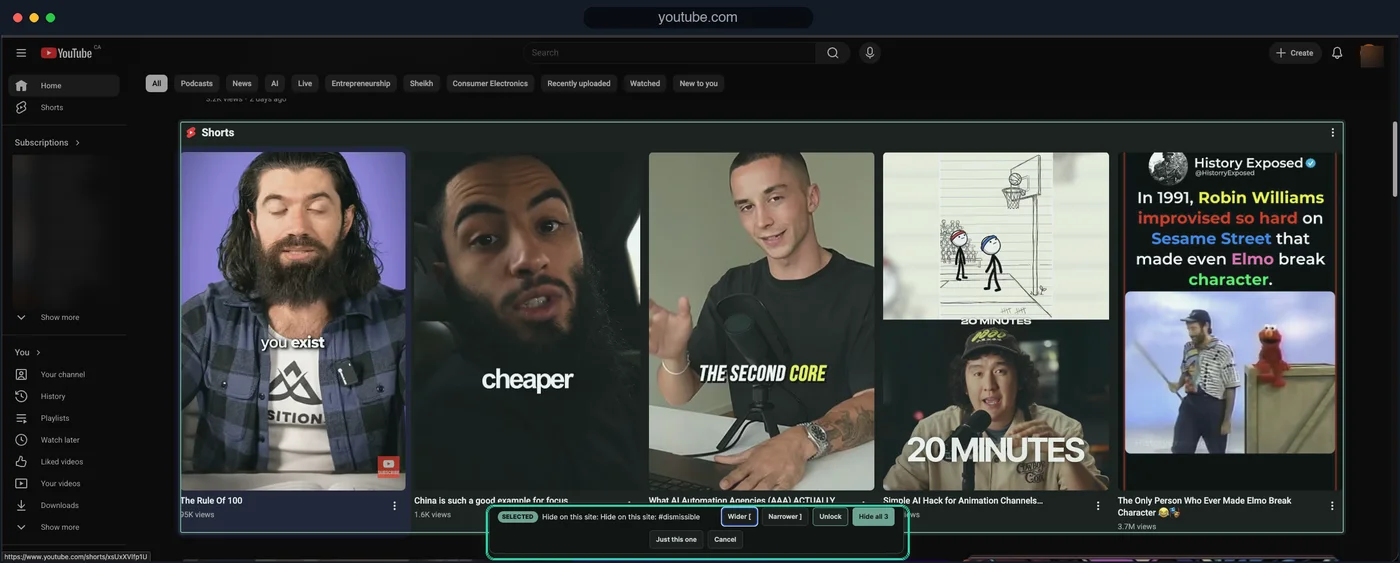
Element hiding like DF Tube's, on today's YouTube — plus gates and sessions when hiding alone stops helping.
Every option above is YouTube-only — which is fine if YouTube is your only leak. BrowseWell starts from the observation that it usually isn't: the person who lost time to the recommendations sidebar tends to also lose it to Reddit's feed, the LinkedIn homepage, or reflexive Gmail checks.
BrowseWell's distraction filters hide YouTube recommendations, Shorts, and comments the way DF Tube did — and apply the same treatment to other sites. Around that cleanup it adds what element-hiding alone can't:
- Path guards — guard
youtube.com/shortsorreddit.com/r/populardirectly while the rest of the site works (how that pattern works). - Intentional Sites — YouTube opens after you state what you're there for, for a bounded window, instead of opening on reflex.
- Hard Mode — optional friction so turning a rule off is a deliberate act, not one click.
It's local-first — browsing data stays in your browser, no account needed — with a 30-day full-access trial, then $9/month, $67/year, or $197 lifetime.
The honest fit: if YouTube is your only problem site, BrowseWell is more than you need — install Unhook, it's free and excellent. BrowseWell earns its place when the DF Tube habit was one instance of a pattern that follows you across sites (the pattern described in how to stop mindlessly scrolling). If that's you, start the 30-day free trial — no card, no account.
Which replacement fits you
| Your situation | Best pick |
|---|---|
| "I want DF Tube back, maintained, free" | Unhook |
| "I want the exact DF Tube feel and accept small-project risk" | DF UTube |
| "I already run uBlock and like owning my filters" | uBlock filter lines |
| "YouTube is one of several sites that pull me in" | BrowseWell |
| "I mostly need Shorts gone" | See how to hide YouTube Shorts |
One last practical note: uninstall DF Tube when you switch. It isn't running, but a dead extension in the toolbar is one more thing to wonder about — and its store listing is scheduled for removal on August 31, 2026 anyway. Single-purpose tools going quiet is a recurring story in this category; if you want the broader version of it, see News Feed Eradicator alternatives.