How to Hide YouTube Shorts: Every Method That Actually Works
YouTube has no permanent off-switch for Shorts. Here's what its own settings can do, exact uBlock Origin filters, and a gate for the rest.
As of July 2026, YouTube offers no setting that permanently turns off Shorts. Shorts appear in at least four places — a shelf on the home page, a Shorts tab in the left sidebar, mixed into search results, and as a tab on channel pages — and YouTube's own controls only dim some of them, temporarily.
You can still get rid of Shorts almost completely. Here are the methods in order of effort, starting with the ones that need no extension at all.
Method 1: YouTube's built-in controls (partial, temporary)
Hide the home-page shelf for 30 days. On desktop, find the Shorts shelf on your home page and click the X in its top-right corner. YouTube confirms the shelf will be hidden for 30 days. On the mobile app, tap the three-dot menu on the Shorts shelf and choose Show fewer Shorts.
Limits, stated plainly: it comes back after roughly 30 days, it doesn't remove the sidebar Shorts tab, and Shorts still appear in search results and on channel pages.
Empty the recommendation engine. Shorts on your home page are recommendations, and recommendations run on your watch history. Go to myactivity.google.com/product/youtube → Controls → YouTube History → Turn off. (The same control is reachable via Google Account → Data & privacy → History settings.) With history off, the YouTube home page stops filling with recommended videos — Shorts included. The trade-off is real: you lose useful recommendations too, and "continue watching" stops working.
Route around the home page entirely. Bookmark youtube.com/feed/subscriptions and enter YouTube there instead of at the front door. The Subscriptions feed is chronological uploads from channels you chose — a much calmer entry point. This is the highest-value 10-second change on this page.
If you tap into a Short from search anyway, the vertical swipe-feed still opens, and that's where the minutes go. The built-in controls can't touch that part.
Method 2: uBlock Origin filters (free, thorough)
uBlock Origin can remove Shorts from every surface. Two ways to do it:
The easy way — import a maintained filter list. Open uBlock Origin's dashboard (toolbar icon → gear), go to Filter lists, scroll to Import, and paste:
https://raw.githubusercontent.com/gijsdev/ublock-hide-yt-shorts/master/list.txt
Click Apply changes. This community list stays updated as YouTube renames its page elements, which happens regularly — the reason hand-written filters rot.
The manual way — add filters yourself. Dashboard → My filters tab, paste lines, Apply changes. These are current as of July 2026 (drawn from the same maintained list):
www.youtube.com##ytd-rich-shelf-renderer[is-shorts],ytd-rich-shelf-renderer[is-shorts]:upward(ytd-rich-section-renderer)
www.youtube.com##:matches-path(/^(?!\/feed\/history).*$/)ytd-reel-shelf-renderer
www.youtube.com##ytd-guide-entry-renderer:has(.ytd-guide-entry-renderer[title="Shorts"])
www.youtube.com##ytm-shorts-lockup-view-model-v2:upward(grid-shelf-view-model)
www.youtube.com##yt-tab-shape[tab-title="Shorts"]
In order: the home-page Shorts shelf, Shorts shelves on other pages (except your history), the sidebar Shorts tab, Shorts in search-result grids, and the Shorts tab on channel pages.
One more line does something different — it stops Shorts pages from loading at all, so a clicked or shared /shorts/ link shows uBlock's block page instead of opening the swipe feed:
||youtube.com/shorts/$document
If a filter stops working after a YouTube redesign, that's YouTube renaming elements, not you — switch to the imported list and let its maintainers keep up.
What uBlock can't do: it makes Shorts invisible, but it has no opinion about the rest of your visit. If your pattern is "opened YouTube for one tutorial, resurfaced 40 minutes later in regular videos," hiding Shorts fixes the symptom you named and leaves the mechanism alone.
Method 3: BrowseWell (hide Shorts, and bound the visit)
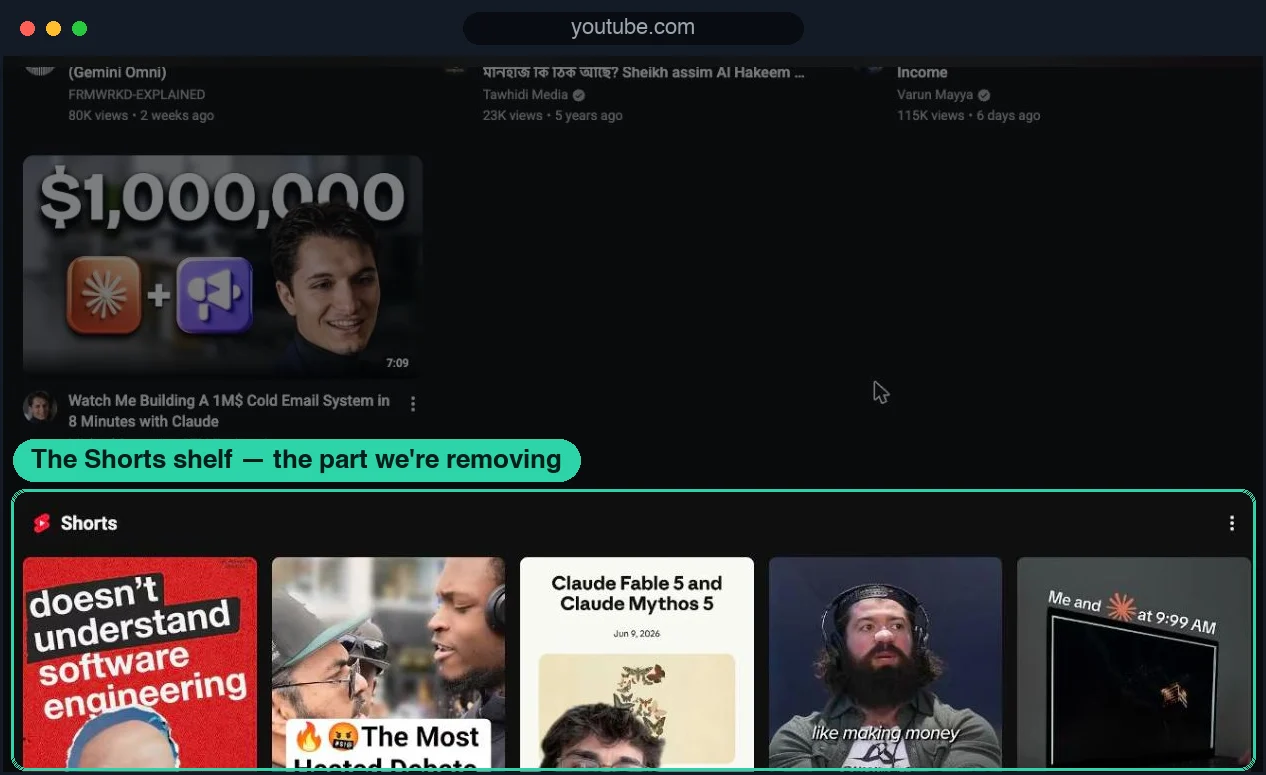
Before: the shelf, mid-feed, doing what it was designed to do.
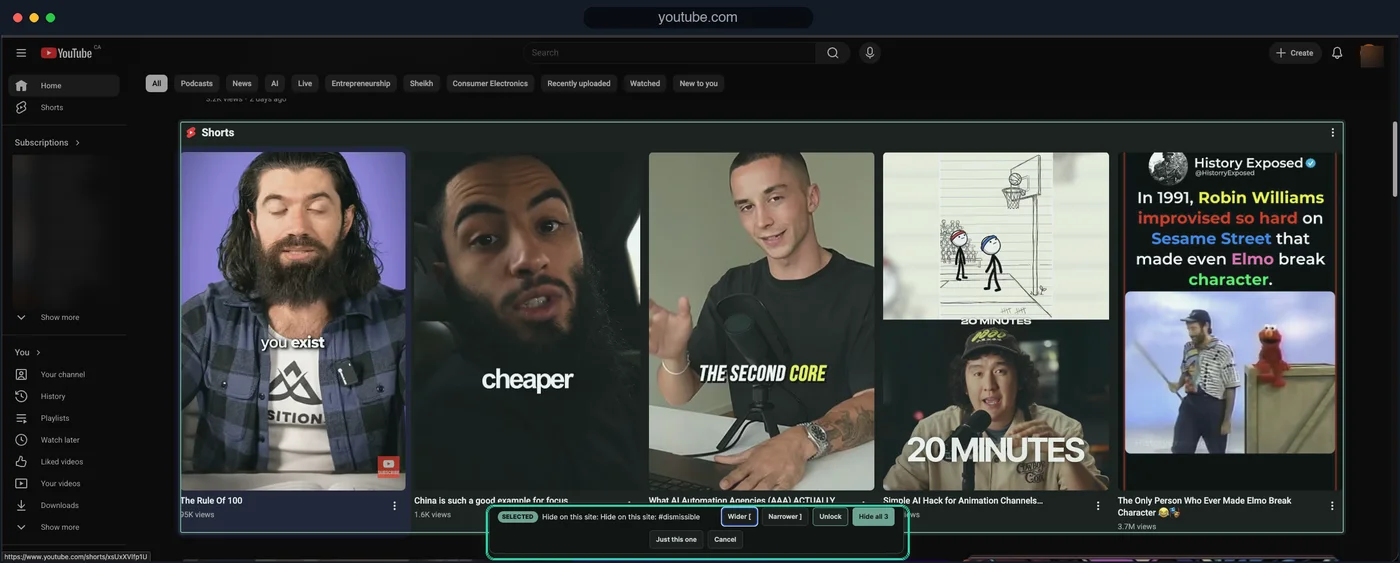
The picker on the actual Shorts shelf: "Hide all 3" removes the shelf everywhere on the site.
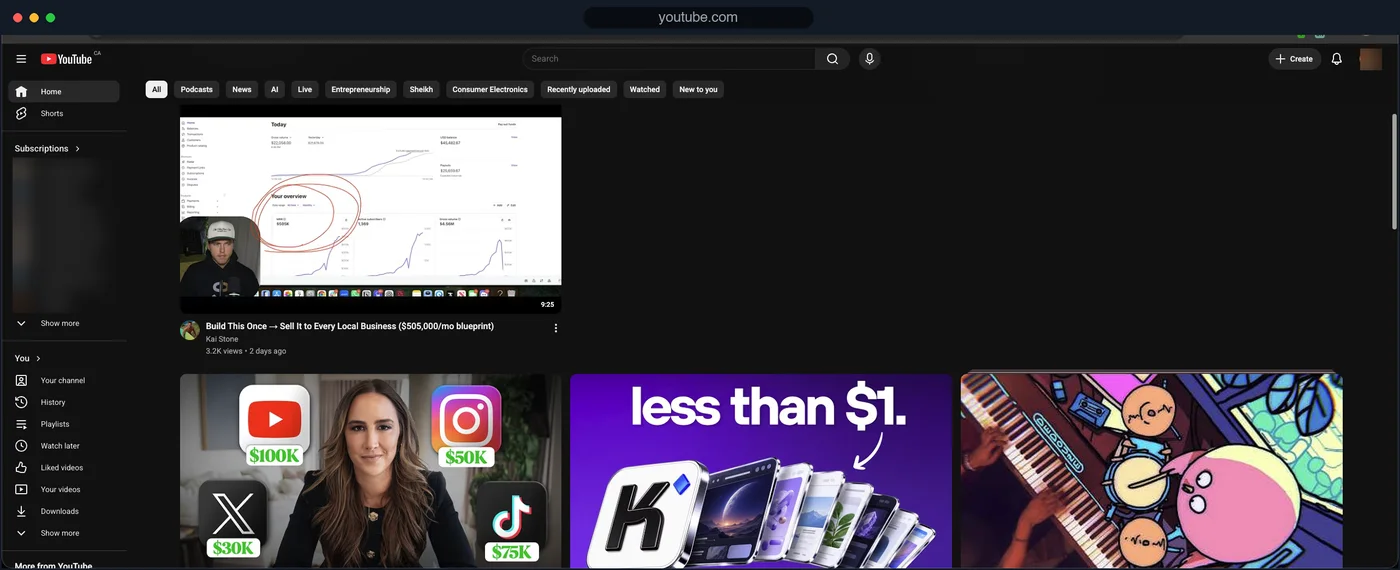
After: the homepage with the shelf gone. Search, subscriptions, and regular videos untouched.
BrowseWell is a Chrome extension built for exactly that second problem. For Shorts specifically, its distraction filters hide Shorts surfaces and recommendations without any filter syntax to maintain, and its path-level guards can cover youtube.com/shorts directly — the same idea as the $document filter above, but with a gate instead of a wall.
The difference from pure hiding is what happens around the visit:
- YouTube can be set up as an Intentional Site: it opens after you state what you're there for — "watch the deployment tutorial" — for a bounded window, instead of opening on reflex.
- A focus session keeps the visit attached to the goal you typed.
- Turning a rule off goes through optional Hard Mode friction — a short wait and a typed reflection — so "I'll just disable it for a second" becomes a deliberate act.
It's local-first (browsing data stays in your browser, no account), with a 30-day full-access trial — no card required — then $9/month, $67/year, or $197 lifetime. If you want the fuller picture of hiding-plus-gating versus hiding alone, see the honest breakdown in News Feed Eradicator alternatives, or start at browsewell.app.
Tested July 2026 on youtube.com with BrowseWell v2.1.0: the home-page Shorts shelf was selected with the element picker and hidden site-wide (screenshots above), while search, subscriptions, and regular videos kept working; the path guard on youtube.com/shorts covers clicked or shared Shorts links. YouTube renders as a single-page app, so rules re-apply as you navigate.
Which method should you use?
- Two minutes, no installs: dismiss the shelf, bookmark
youtube.com/feed/subscriptions, consider turning off watch history. - Shorts gone everywhere, free: uBlock Origin with the imported list above.
- Shorts gone and the visit itself bounded: BrowseWell's filters plus an intent gate on YouTube.
These stack. Plenty of people run the subscriptions bookmark, the uBlock list, and a gate together — the same layered approach covered in how to block part of a website.